Daily Workflow
The edit → sync → commit/push/pull cycle for everyday skill management.
Overview
Editing Skills
Option 1: Edit in source (recommended)
$EDITOR ~/.config/skillshare/skills/my-skill/SKILL.md
Changes are immediately visible in all targets (via symlinks).
Option 2: Edit in target
$EDITOR ~/.claude/skills/my-skill/SKILL.md
Because targets are symlinked, this edits the source file directly.
Syncing
After editing, sync is usually not needed because of symlinks. However, run sync when:
- You've installed or removed skills
- You've changed sync mode
- You've added or removed targets
- You see "out of sync" in status
skillshare sync
Sync is intentionally decoupled from install/update/uninstall. This lets you batch multiple changes (e.g., install 3 skills → sync once), preview with --dry-run before propagating, and keep full control of when targets update. See Source & Targets: Why Sync is a Separate Step for details.
Preview first
skillshare sync --dry-run
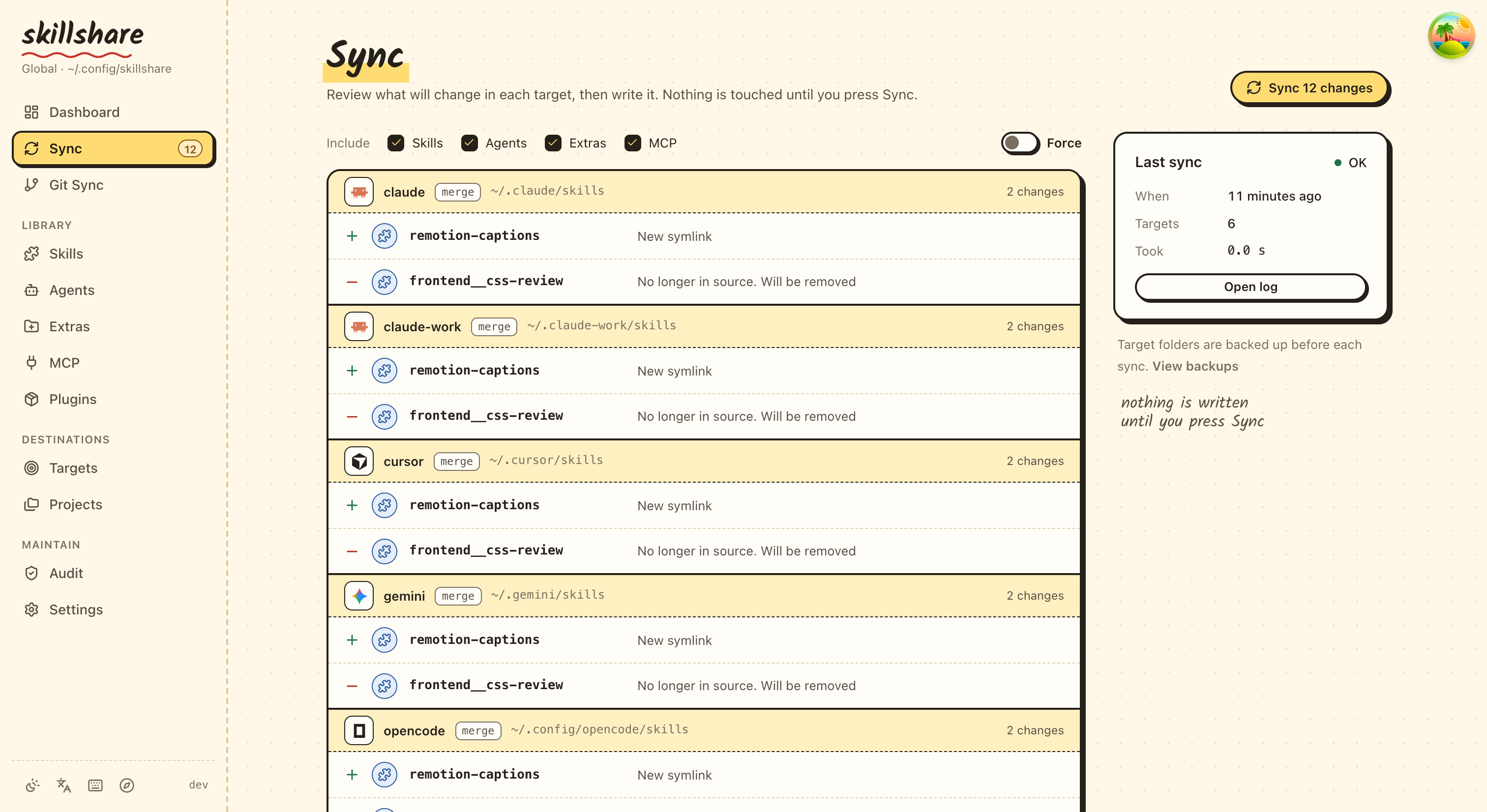
The dashboard's Sync page shows the same preview for each target before anything is written:
Sync agents only
If you only changed agents (or only want to push agents to agent-capable targets), scope the sync:
skillshare sync agents
skillshare sync runs both skills and agents in one shot. See Agents for the agent file format and supported targets.
Git Checkpoints and Cross-Machine Sync
Commit locally
Use commit when you want a local restore point without pushing to a remote:
skillshare commit -m "Update draft skill"
This runs:
git add .git commit -m "Update draft skill"
commit works even when the source repo has no remote configured.
Push changes (from this machine)
If you use a git remote, push commits and shares changes in one command:
skillshare push -m "Add new skill"
This runs:
git add .git commit -m "Add new skill"git push
If other machines push too, use skillshare push --pull -m "Add new skill" instead: it merges their changes before pushing and syncs targets afterwards. See Push and Pull Together.
Pull changes (to this machine)
skillshare pull
This runs:
git pullskillshare sync
Common Daily Tasks
Create a new skill
skillshare new code-review
$EDITOR ~/.config/skillshare/skills/code-review/SKILL.md
skillshare sync
Edit or add an agent
Agents are single .md files in ~/.config/skillshare/agents/. Create or edit them directly with your editor:
$EDITOR ~/.config/skillshare/agents/reviewer.md
skillshare sync agents
disable / enable toggle individual agents via .agentignore without deleting them:
skillshare disable reviewer --kind agent     # Excludes from sync
skillshare enable reviewer --kind agent      # Re-enables
Update a tracked repo
skillshare update _team-skills
skillshare sync
Update all tracked repos
skillshare update --all
skillshare sync
Check status
skillshare status
Shows:
- Source directory status
- Git status (commits ahead/behind)
- Target sync status
Tips
Make it automatic
Add to your shell startup:
# ~/.bashrc or ~/.zshrc
alias ss="skillshare"
alias sss="skillshare sync"
alias ssc="skillshare commit"
alias ssp="skillshare push"
alias ssl="skillshare pull"
Check before important work
# Start of day
skillshare pull
skillshare status

# Before committing
skillshare diff
Keep things clean
# Weekly maintenance
skillshare audit             # Scan for security threats
skillshare backup --cleanup  # Remove old backups
skillshare doctor            # Check for issues